

Email logs
Browse, search, open and resend or delete any email BooleanSMTP has handled, filtered by status.
Email Logs keeps a record of every email BooleanSMTP has handled.
Browse and search
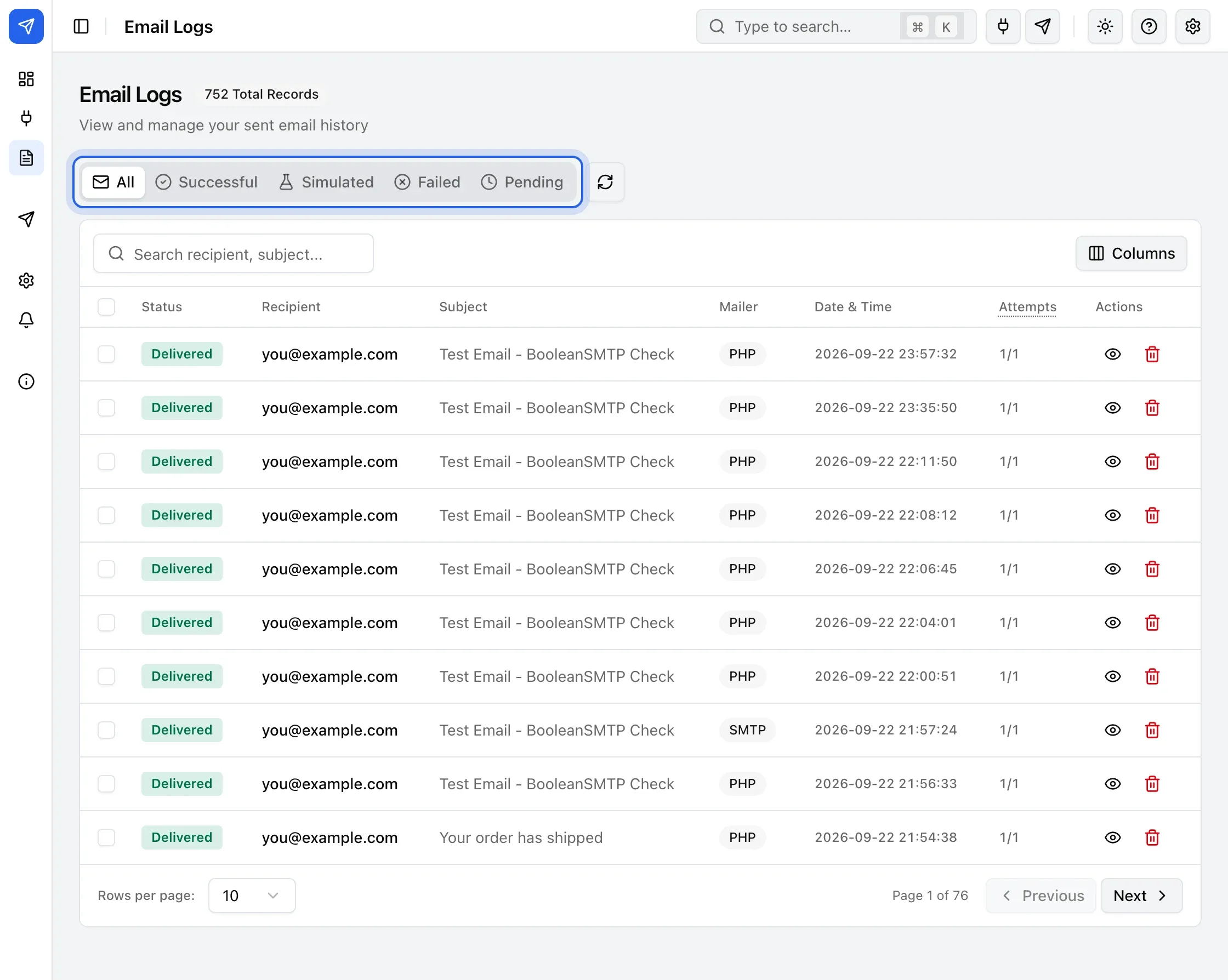
Section titled “Browse and search”- In the sidebar, click Logs.
- Use the tabs — All, Successful, Simulated, Failed, Pending — to filter by status.
- Type in the search box to filter by recipient or subject.
Open an entry
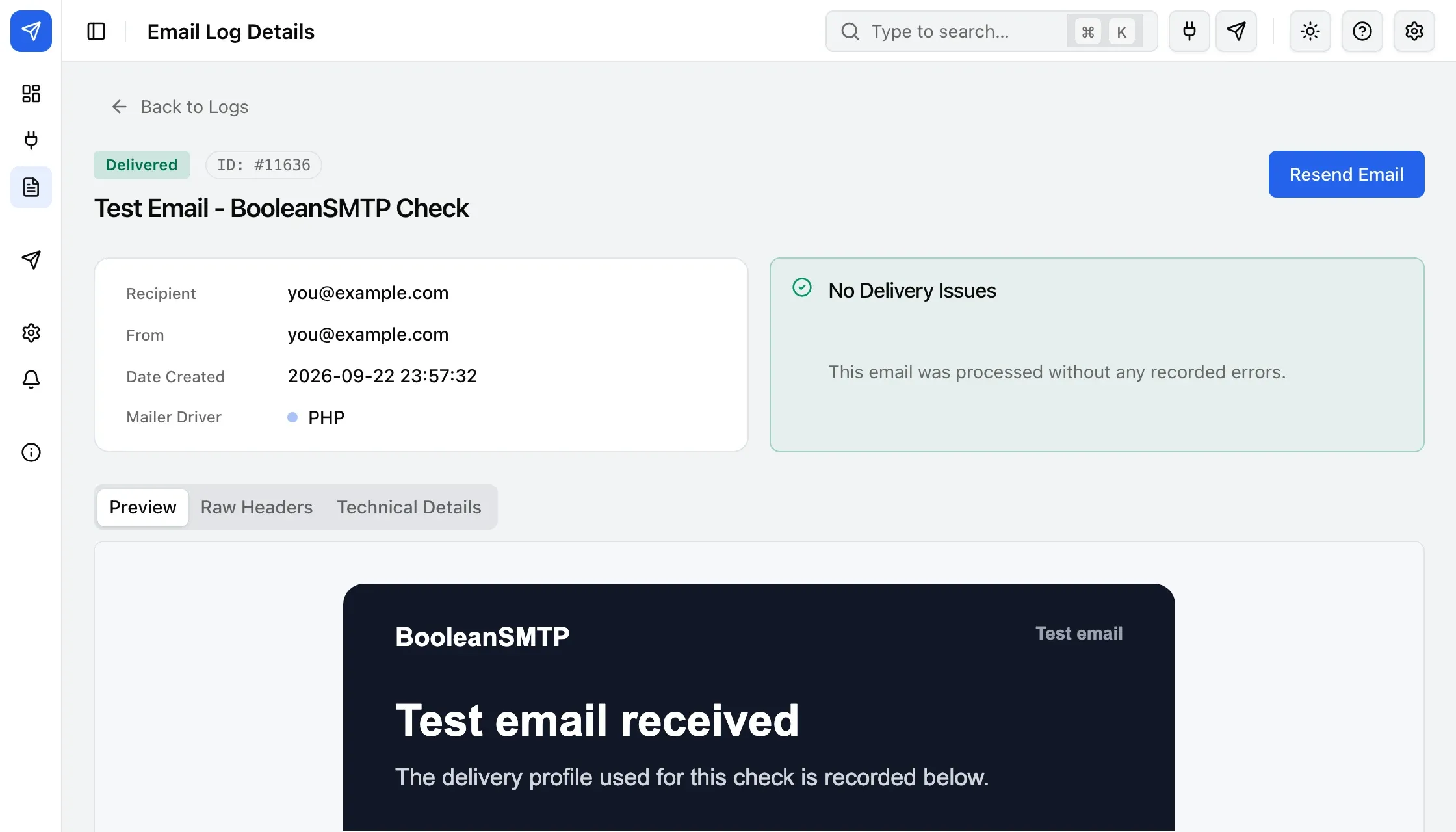
Section titled “Open an entry”Click an entry’s subject, or its eye icon under Actions, to see its full detail: recipient, From address, date, mailer driver, any delivery error, and Preview, Raw Headers and Technical Details tabs.
Resend or delete
Section titled “Resend or delete”Click Resend Email on an entry’s detail page — or select rows on the list and use the bulk actions — to send it again through your site’s current default connection. Delete a log the same way, singly or in bulk.
Next steps
Section titled “Next steps”- Log retention
- Fallback and retries — see an entry’s retry attempts.
- Troubleshooting