

Amazon SES
Connect Amazon SES to BooleanSMTP over the HTTPS API or SMTP, verify a sender identity, and send a test email.
Amazon SES sends through either its HTTPS API or its SMTP endpoints — both are available on BooleanSMTP’s free plan.
Before you begin
Section titled “Before you begin”- An AWS account with access to the SES console.
- An IAM user with an SES-sending policy (
AmazonSESFullAccess, or one scoped toses:SendRawEmail,ses:SendEmail,ses:GetSendQuota,ses:GetSendStatistics), giving you an Access Key ID and Secret Access Key. - The From address or domain you’ll send with, verified as a SES identity in the region you plan to send from.
- New SES accounts start in the SES sandbox, which only sends to verified recipients — verify the address you’ll test with too.
Add the connection
Section titled “Add the connection”- In your WordPress admin sidebar, go to BooleanSMTP → Mailers.
- Click Add Connection and choose Amazon SES.
- Under Sender Settings, fill in From Email (must be a verified SES identity) and From Name.
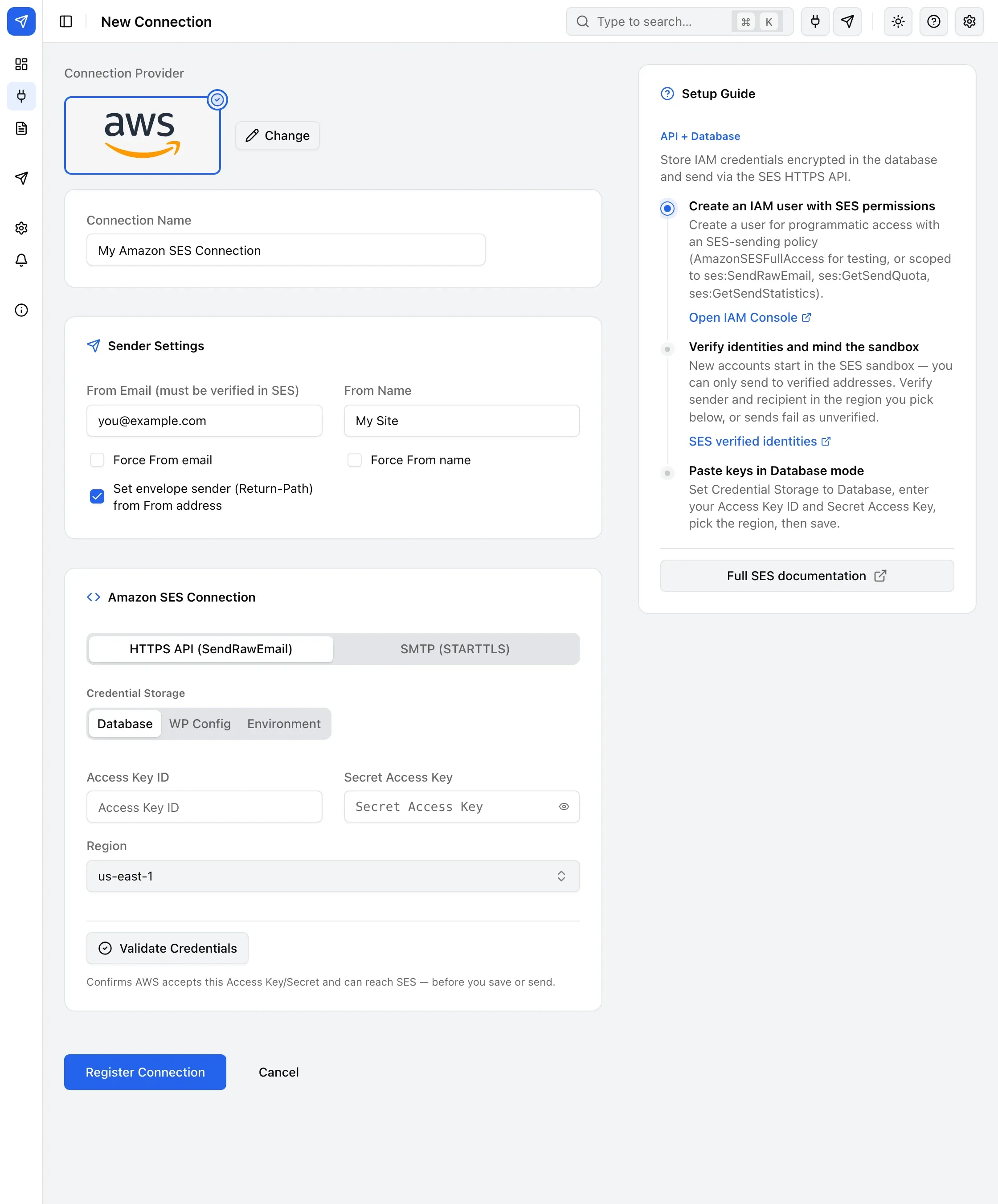
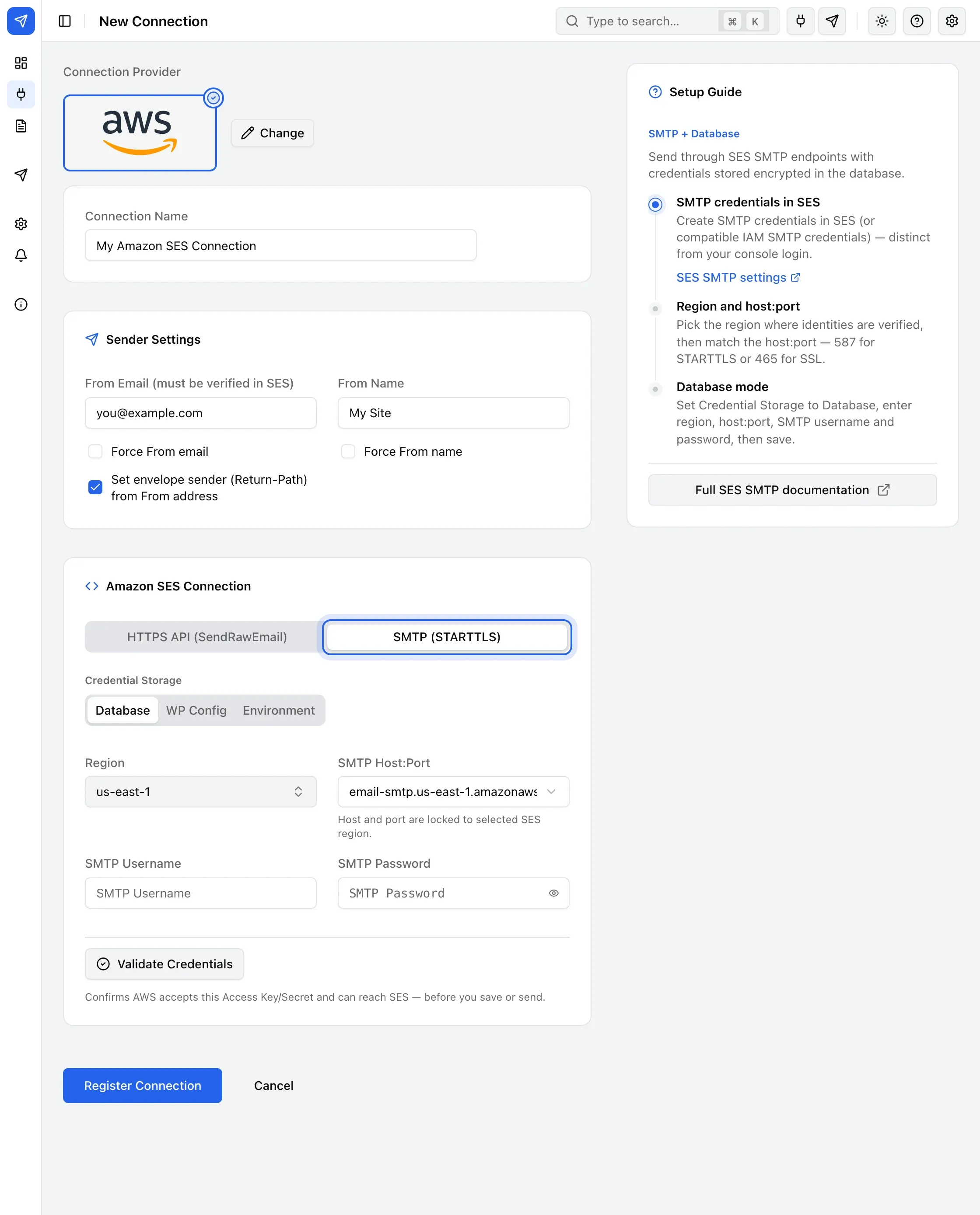
- Under Amazon SES Connection, choose HTTPS API (SendRawEmail) or SMTP (STARTTLS) — see below for each mode’s fields.
- Choose Credential Storage: Database, WP Config, or Environment. To keep keys out of the database, see Storing credentials in wp-config.
- Click Register Connection.
Fill in Access Key ID, Secret Access Key, and Region — the region must match where you verified your identity. The dropdown covers all 27 AWS SES commercial regions.
Fill in Region, SMTP Host:Port (a preset locked to the region you picked — 587 for STARTTLS or 465 for SSL/TLS), SMTP Username, and SMTP Password.
Send a test email
Section titled “Send a test email”Use Test Email in the sidebar to confirm the connection works — see Send a test email for the steps. While your account is in the SES sandbox, send to a verified recipient.
Common errors
Section titled “Common errors”- “MessageRejected” / “Email address is not verified” — the From or To address isn’t verified in SES yet, or was verified in a different region than the one selected on this connection.
IncompleteSignature, or the send fails immediately with an auth-looking error — re-enter the Access Key ID and Secret Access Key rather than reusing a masked placeholder; a Secret Access Key is exactly 40 characters.- Saved a WP Config/Environment connection but it won’t validate — confirm the constant isn’t defined as an empty string; BooleanSMTP treats a defined-but-empty constant as present.