

Custom SMTP
Connect any SMTP server to BooleanSMTP with host, port, encryption and authentication, then send a test email.
Custom SMTP connects BooleanSMTP to any SMTP server — your host’s own mail server, a provider not listed elsewhere in Mailers, or an SMTP relay a provider issues you directly.
Before you begin
Section titled “Before you begin”From your SMTP provider or host: a host, a port, whether it needs encryption, and — if it requires authentication — a username and password.
Add the connection
Section titled “Add the connection”- In your WordPress admin sidebar, go to BooleanSMTP → Mailers.
- Click Add Connection and choose Custom SMTP.
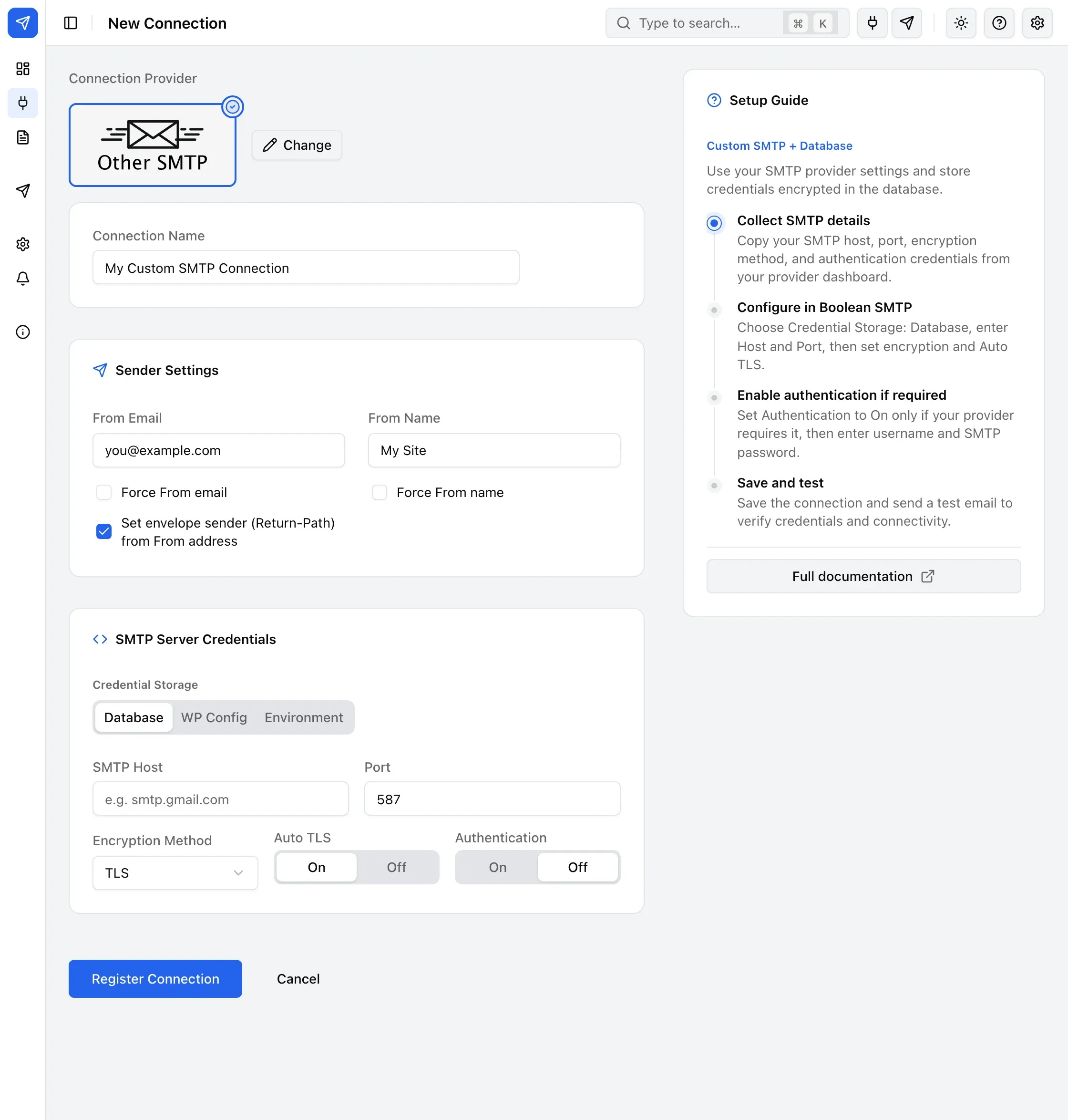
- Under Sender Settings, fill in From Email and From Name.
- Under SMTP Server Credentials, fill in SMTP Host, Port (default
587), and Encryption Method — None, SSL, or TLS (default TLS). - Turn on Authentication if your server requires a login, then fill in SMTP Username and Password.
- Choose Credential Storage: Database, WP Config, or Environment. To keep keys out of the database, see Storing credentials in wp-config.
- Click Register Connection.
Advanced fields
Section titled “Advanced fields”- Auto TLS (STARTTLS) — on by default.
- Connection Timeout (seconds) — 1–300, default 10.
- SMTP Debug Level — Off, Errors Only, Commands, Connection + Commands, or Low-level + Full Trace; captures the raw SMTP conversation while troubleshooting.
- Client Hostname (EHLO/HELO) — override the hostname your server announces.
- Verify TLS Peer Certificate — on by default; turn off only for a server with a self-signed certificate you trust.
- Enable SMTP Keep-Alive — off by default; keeps the connection open across a batch of sends.
Send a test email
Section titled “Send a test email”Use Test Email in the sidebar to confirm the connection works — see Send a test email for the steps.
Common errors
Section titled “Common errors”- “Connection timeout” or “Network error” — check your firewall allows outbound SMTP, try the other common port (465 for SSL, 587 for TLS), and check with your host for port restrictions.
- “Authentication failed” — verify the username and password are correct; some providers require an app password rather than your normal account password.
- Turn on SMTP Debug Level and re-send to capture the raw SMTP conversation for the failed attempt in Email Logs.