

Google Workspace / Gmail
Connect Gmail or Google Workspace to BooleanSMTP with an SMTP app password or the Gmail API, then send a test email.
BooleanSMTP connects to Gmail or Google Workspace two ways on the free plan: SMTP with an app password, or the Gmail API with your own Google Cloud OAuth app. Google retired password-only sending for both personal Gmail and Google Workspace, so one of these two is required.
Before you begin
Section titled “Before you begin”- A Google account (personal Gmail or Google Workspace) with 2-Step Verification available.
- For the Gmail API path only: access to Google Cloud Console to create an OAuth app.
Add the connection
Section titled “Add the connection”- In your WordPress admin sidebar, go to BooleanSMTP → Mailers.
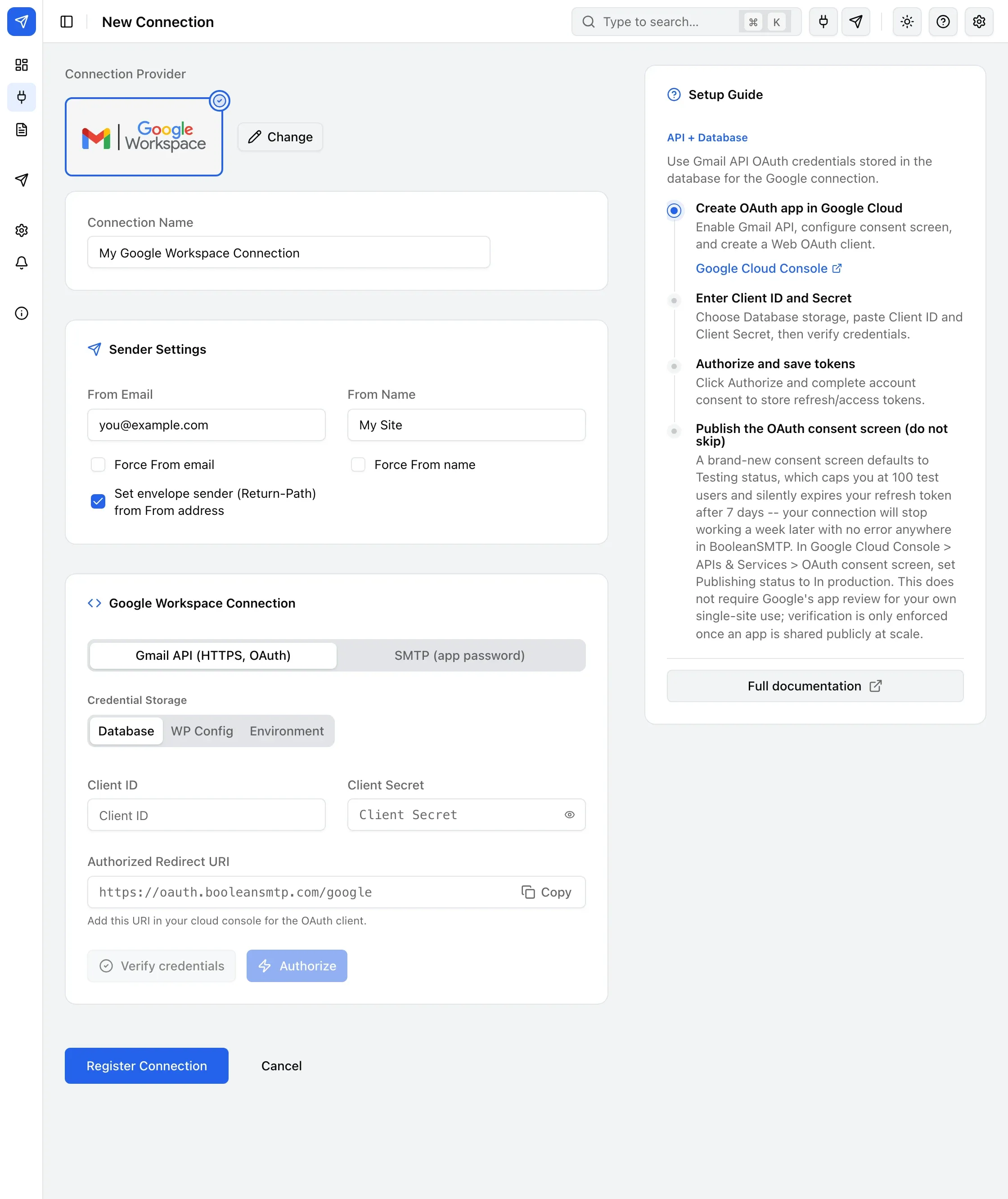
- Click Add Connection and choose Google Workspace.
- Under Sender Settings, fill in From Email (your full Gmail/Workspace address) and From Name.
- Under Google Workspace Connection, choose SMTP (app password) or Gmail API (HTTPS, OAuth) — see below for each mode’s fields.
- Choose Credential Storage: Database, WP Config, or Environment. To keep keys out of the database, see Storing credentials in wp-config.
- Click Register Connection.
No Google Cloud Console needed. Turn on 2-Step Verification on your Google account
(myaccount.google.com/security), then under it go to App Passwords and generate one for Mail.
Choose an SMTP endpoint — smtp.gmail.com:587 (TLS) is the default — and fill in App
Password with the 16-character password you generated.
In Google Cloud Console, enable the Gmail API, configure the OAuth consent screen, and create a Web application OAuth client with the Authorized redirect URI BooleanSMTP shows on the connection form. Paste the Client ID and Client Secret into the form, then click Authorize and complete Google’s consent screen.
Send a test email
Section titled “Send a test email”Use Test Email in the sidebar to confirm the connection works — see Send a test email for the steps.
Common errors
Section titled “Common errors”- “invalid_grant”, or the connection stops working after about a week — the OAuth consent screen is still in Testing status; publish it to In production.
- “redirect_uri_mismatch” — the URI pasted into Google Cloud Console doesn’t exactly match the one BooleanSMTP shows on the connection form.
- “Daily sending quota exceeded” — personal Gmail is capped at 500 emails/day, Google Workspace at 2,000/day over the API or standard SMTP; the Workspace SMTP relay above raises that ceiling.