

Mailers
What a BooleanSMTP mailer connection is, the five providers you can add today, and how to manage your connections.
A mailer in BooleanSMTP is a connection: one mail provider, its credentials, and the sender details your site uses when it sends through that provider. Every email your site sends — contact forms, password resets, order receipts — goes out through whichever connection BooleanSMTP resolves for it, instead of your web server’s own mail setup.
Pick a mailer
Section titled “Pick a mailer”Five providers are ready to connect:
| Mailer | How it sends | Best for |
|---|---|---|
| Amazon SES | HTTPS API or SMTP | High-volume sending at low cost |
| Google Workspace | Gmail API (OAuth) or SMTP (app password) | Business email already on Google |
| Microsoft Outlook | Microsoft Graph API only | Business email already on Microsoft 365 |
| Custom SMTP | SMTP, to any server you configure | Your host’s mail server, or a provider not listed here |
| PHP Mail | Your server’s own mail() function |
Local testing, or a last-resort fallback |
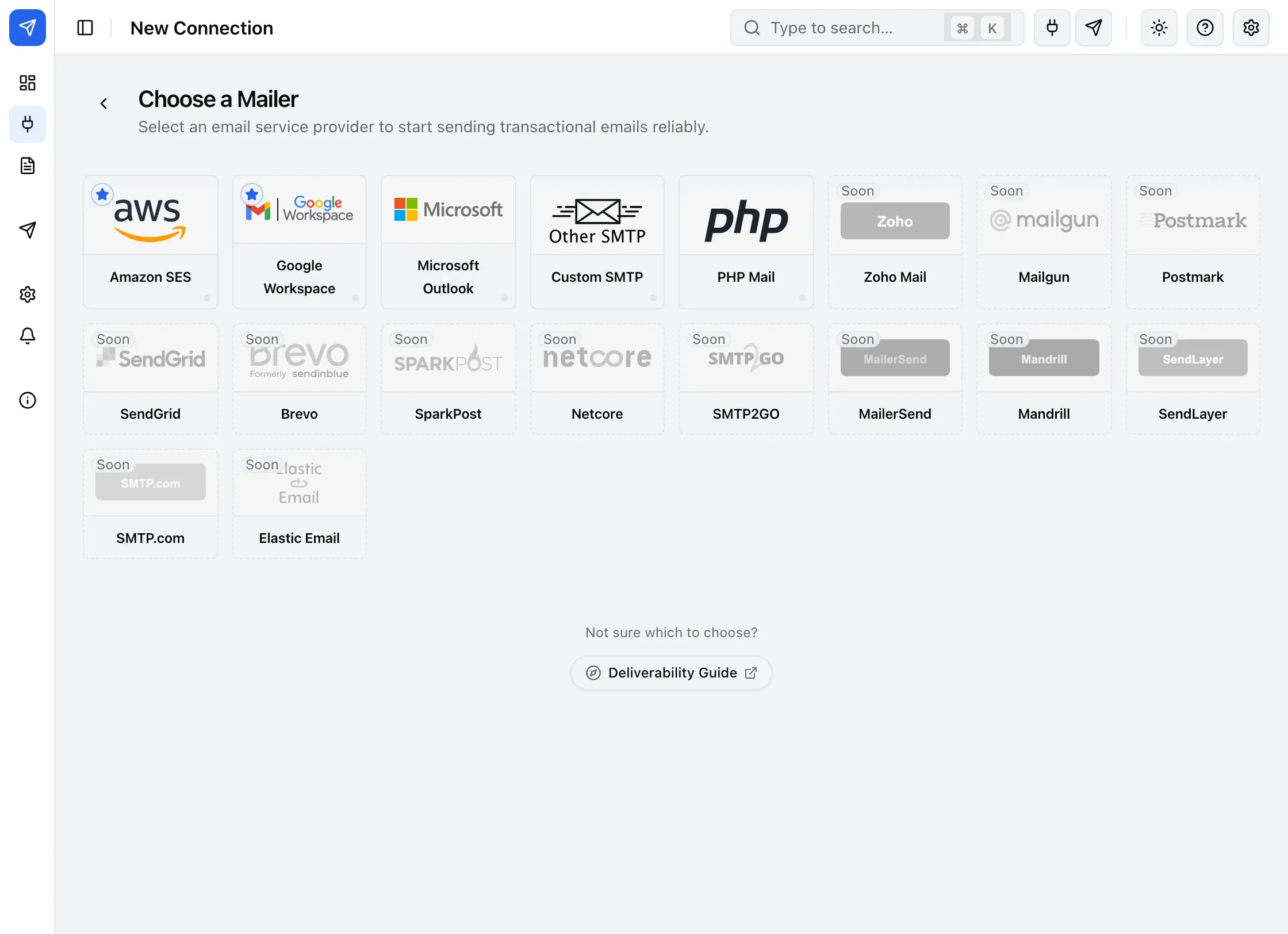
Other providers listed on this screen are marked Soon — they aren’t connectable yet.
Not sure which of the five fits your site? See Which mailer should I use?.
Manage your connections
Section titled “Manage your connections”Add a connection under BooleanSMTP → Mailers → Add Connection. The first one you add during setup becomes your primary connection; add a second under Settings → Fallback Connection so BooleanSMTP has somewhere to retry a failed send.
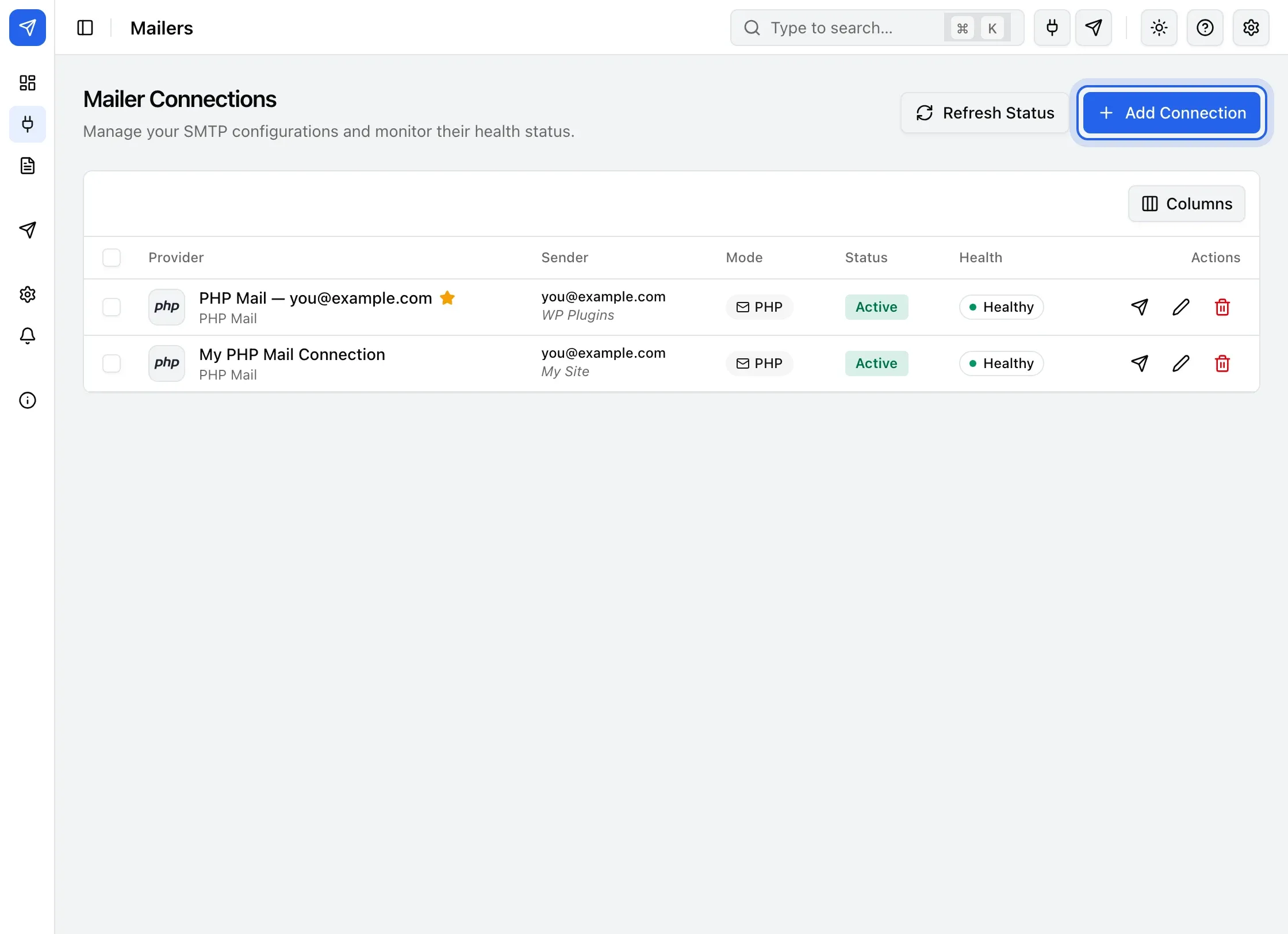
Each row shows the connection’s Provider, Sender address, Mode, Status (active or disabled), and Health (whether its last send succeeded); Actions lets you send a test, edit, or delete it.